Employee → Asset Management
My Assets
Users can easily track their allocated assets:
- Navigate to My Profile > Asset Section.
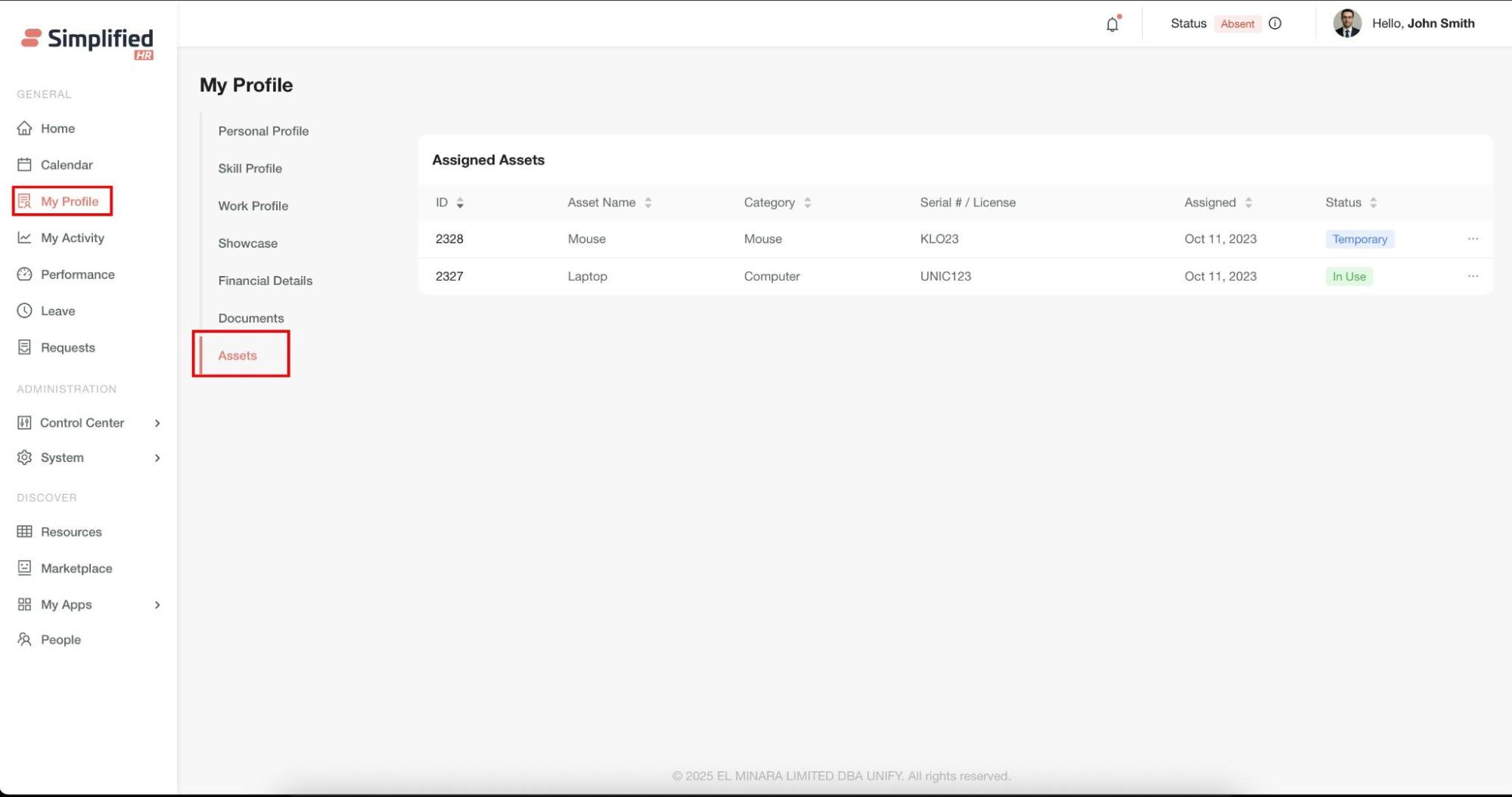
- Review assigned assets.
Assigned asset details reviewed include:
This personal view helps users maintain awareness of their asset responsibilities and current allocations.
Best Practices
-
Regular maintenance: Use maintenance reminders to ensure asset longevity
-
Accurate categorization: Maintain consistent brand, category, and supplier classifications
-
Status updates: Keep asset statuses current to reflect actual conditions
-
Documentation: Attach relevant documents during asset creation
-
History tracking: Regularly review asset history for lifecycle insights
-
Export scheduling: Set up automated exports for regular reporting
Troubleshooting
Import Failures
-
Verify your data file matches the sample template format exactly
-
Check that all required fields are populated
-
Ensure file format is supported (.csv, .xls, .xlsx)
Missing Assets in Dashboard
-
Check status visibility toggles in module settings
-
Verify applied filters aren't hiding assets
-
Confirm user permissions for asset access
Assignment Issues
-
Verify asset quantity allows additional assignments
-
Check user permissions for asset reallocation
-
Ensure target users have active accounts
Next Steps
-
Advanced reporting: Explore export options for detailed asset analytics
-
Integration setup: Configure maintenance reminder notifications
-
User training: Share asset management workflows with your team
-
Regular audits: Schedule periodic asset status reviews and updates
For additional support with asset management workflows, consult your system administrator or refer to the user permissions documentation.