Describes the My Account section of the Member Portal — where you manage your own profile and your organization's company details.
Overview
-
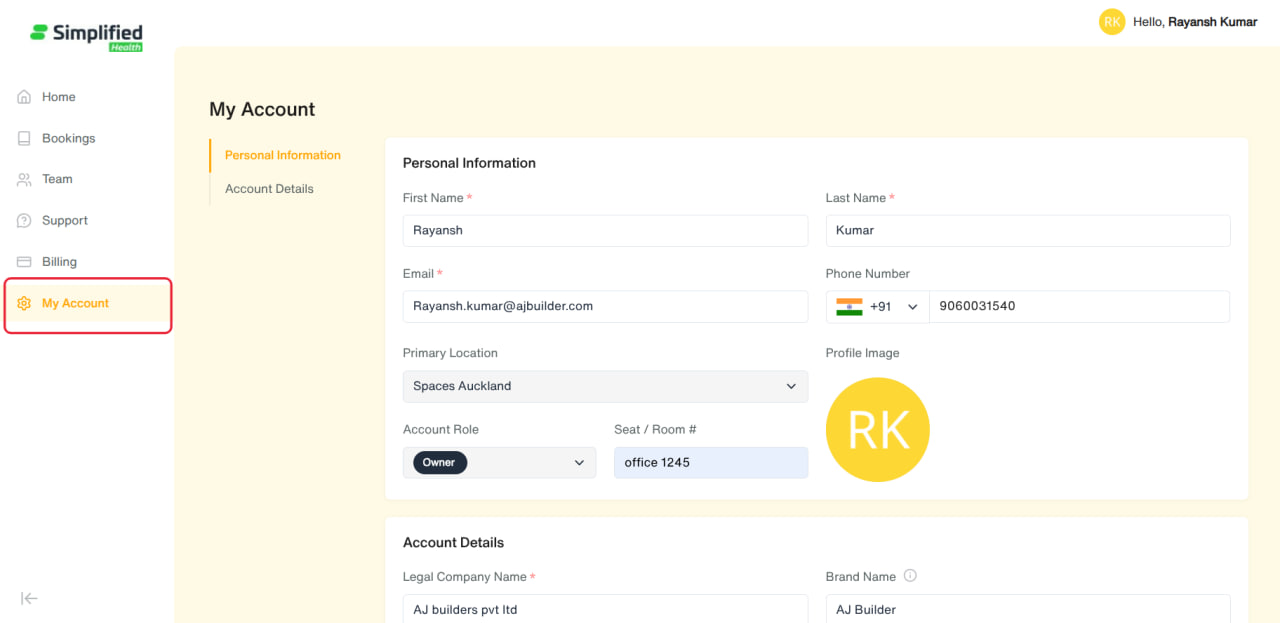
Entry point: Main menu → My Account (only shown if your organization has the Account feature enabled).
-
Single page with two sections: Personal Information and Account Details.
-
Billing/Invoices used to appear on this page too, but have since moved to their own Billing menu section (Admin-only) — see billing-functional.md.
1. Personal Information
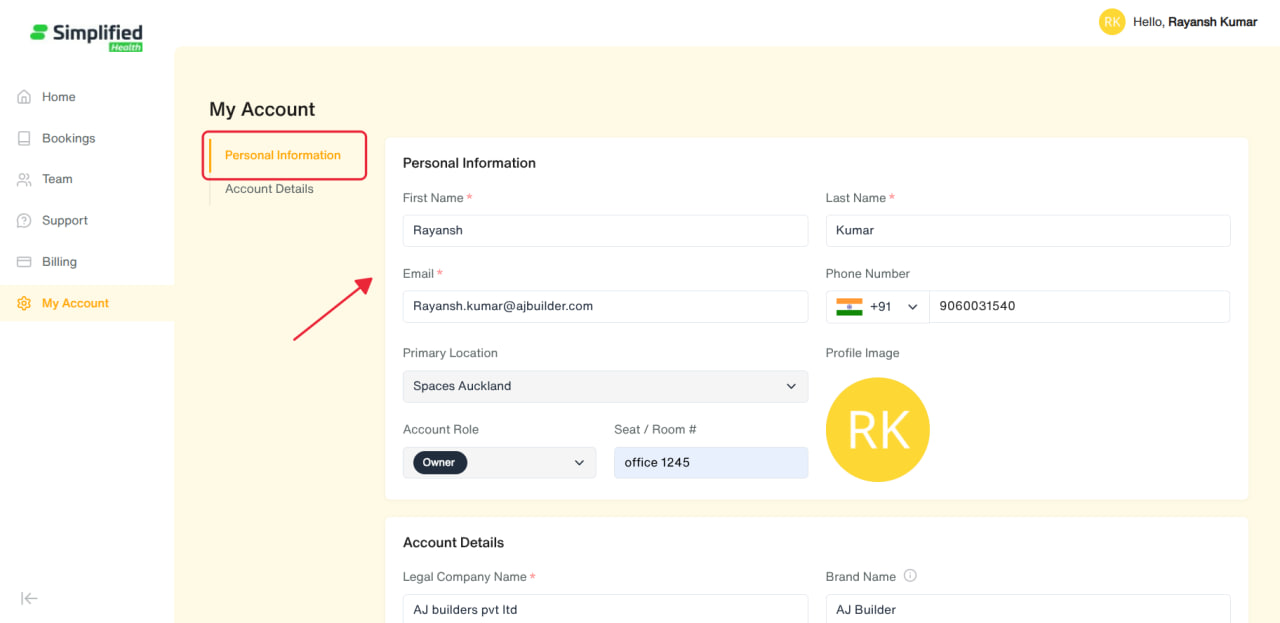
Your own profile — editable by everyone (Admin and regular Users alike):
-
Profile Image (optional)
-
First Name* (required)
-
Last Name* (required)
-
Email* (required, must be a valid email)
-
Phone Number (optional)
-
Primary Location — shown for reference, not editable here
-
Account Role — shown for reference, not editable here (roles are managed from Team → Members by an Admin)
-
Seat / Room # (optional)
Click Save Changes once you've made an edit.
2. Account Details
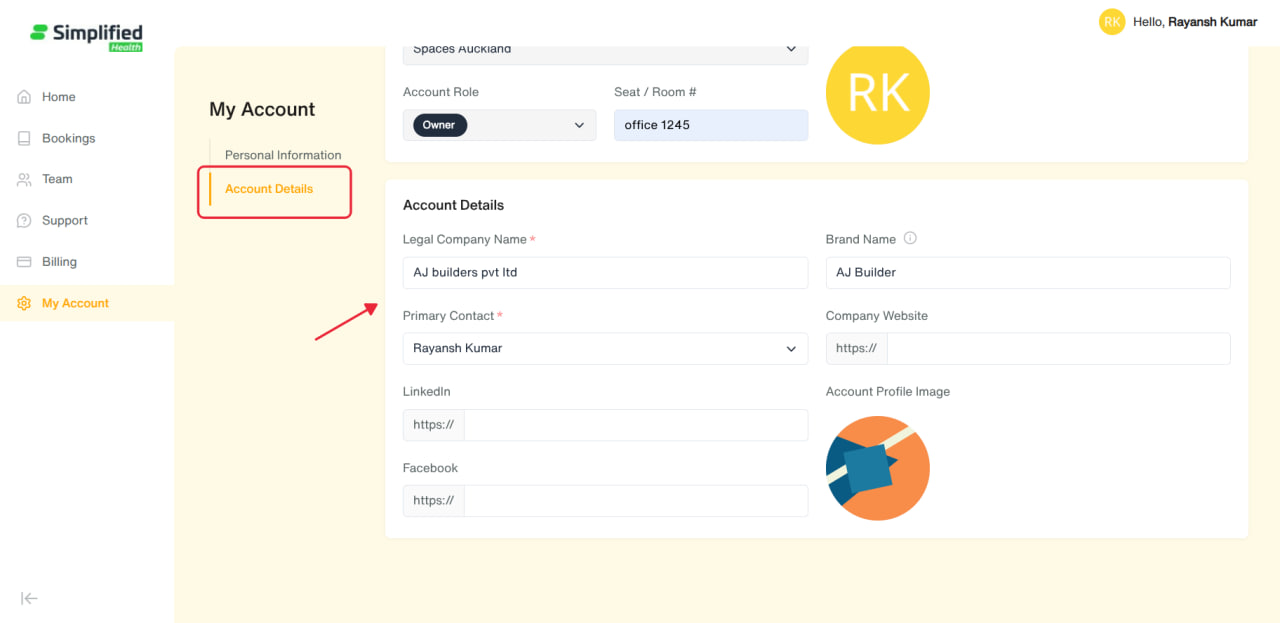
Your organization's company profile:
-
Legal Company Name* (required)
-
Brand Name (optional — a shortened name if your legal name is too long)
-
Primary Contact* (required — pick from your organization's team)
-
Company Website (optional — enter just the domain, "https://" is added automatically)
-
LinkedIn (optional — same domain-only format)
-
Facebook (optional — same domain-only format)
-
Account Profile Image (optional — your organization's logo/photo shown on the account)
Click Save Changes once you've made an edit.
Admin-only editing: only Admin-role members can actually change these fields — regular Users see this section in read-only mode (fields are visible but disabled).
General Notes
-
Personal Information is always about you individually; Account Details is about your whole organization.
-
Regular Users can update their own Personal Information freely, but can only view (not edit) Account Details — that's reserved for Admins.
-
For your organization's billing address, payment method, and invoices, see the separate Billing section (Admin-only).