Overview
-
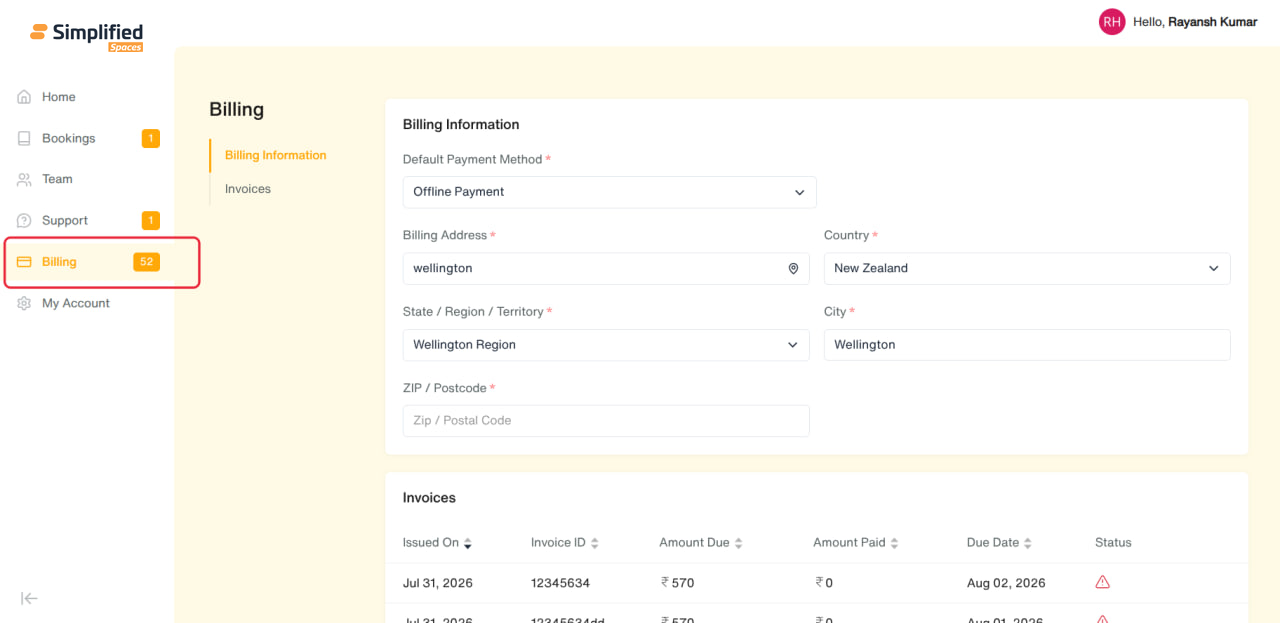
Entry point: Main menu → Billing (only shown if your organization has the Account feature enabled).
-
Single page with two sections: Billing Information and Invoices.
-
Admin-only: this entire page is only visible to Admin-role members — regular Users are redirected away and don't see a Billing menu item at all.
1. Billing Information
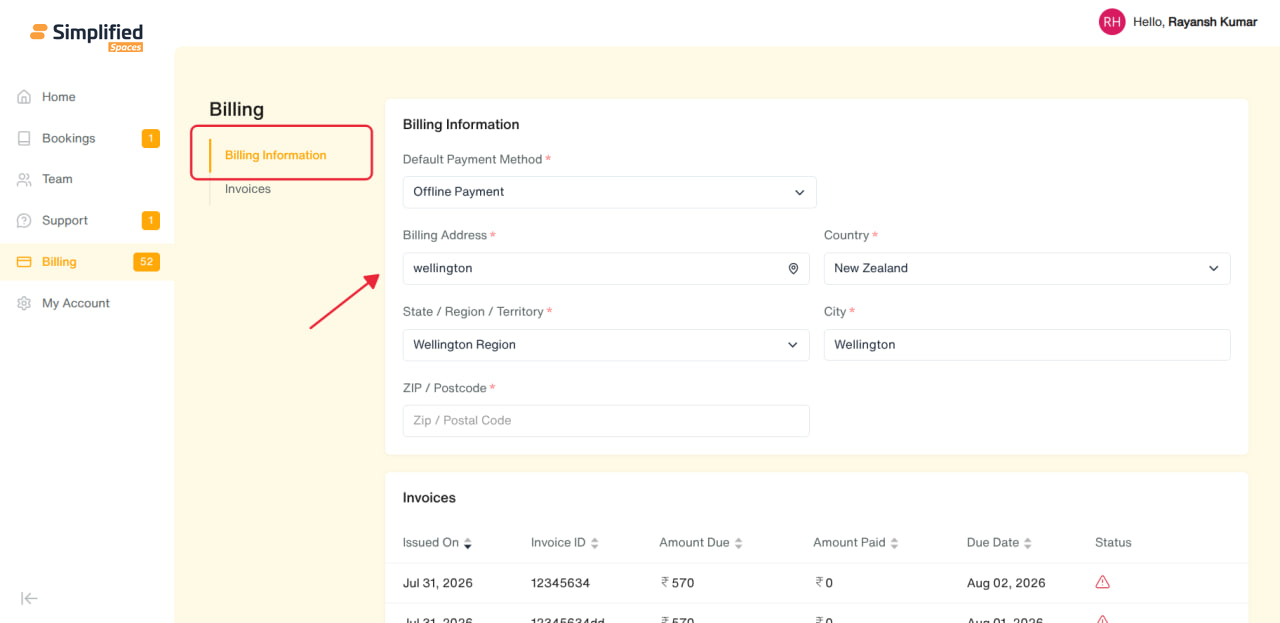
Your organization's payment and billing address details:
-
Default Payment Method* (required) — Offline Payment or Saved Payment Method
-
Billing Address* (required — address autocomplete/search)
-
Country* (required)
-
State / Region / Territory* (required)
-
City* (required)
-
ZIP / Postcode* (required)
A Save Changes button appears once you've edited something — click it to update your billing details.
2. Invoices
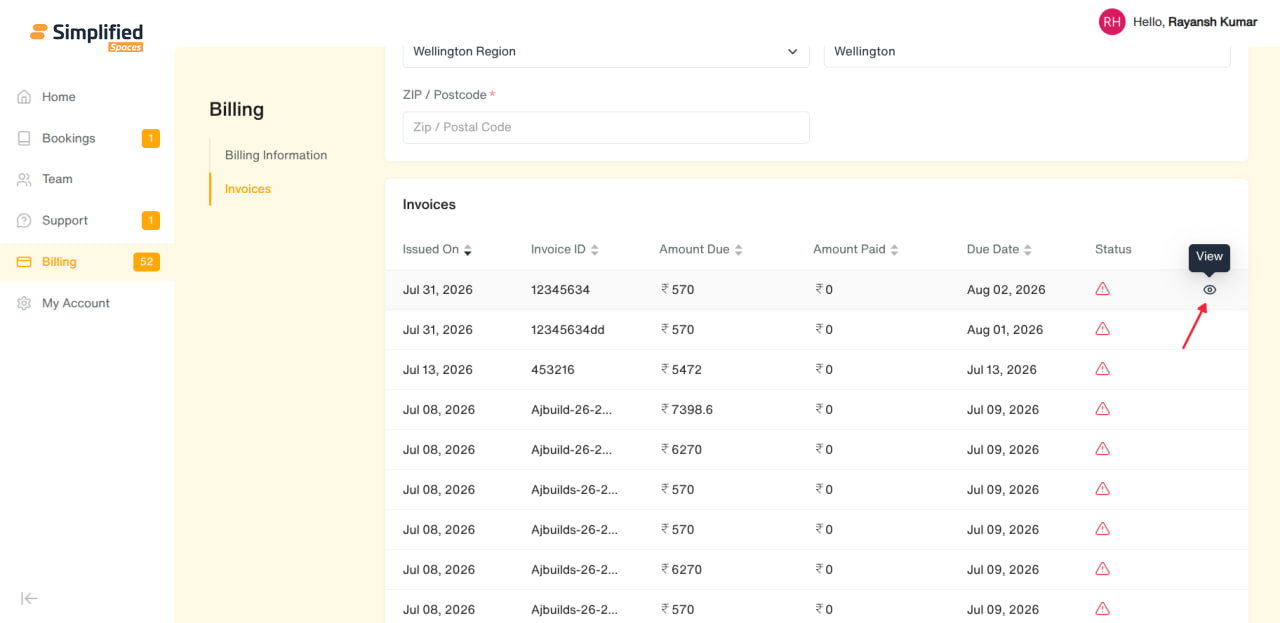
A read-only table of all invoices issued to your organization:
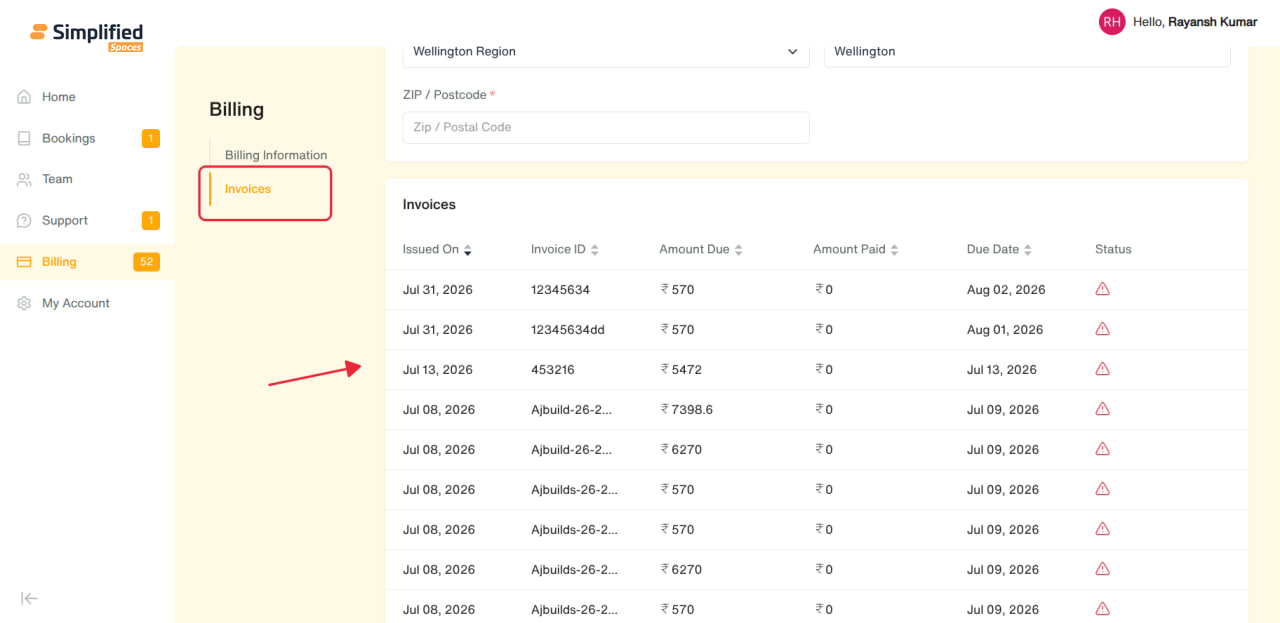
- Columns: Issued On, Invoice ID, Amount Due, Amount Paid, Due Date, Status
-
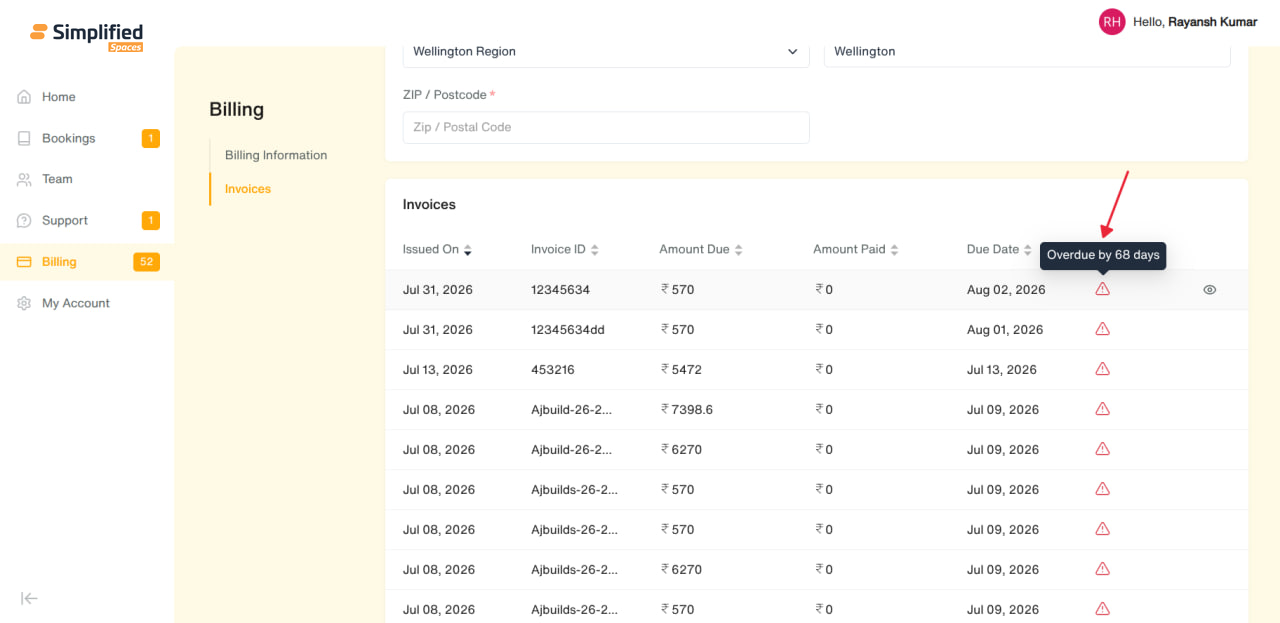
Status shown as an icon with a tooltip explaining details, e.g.:
-
Overdue — shows how many days overdue
-
Refunded — shows amount refunded, by whom, and when
-
Voided — shows who voided it and when
-
Scheduled — shows the scheduled date and who scheduled it
-
Also: Draft, Unpaid, Partially Paid, Transferred
-
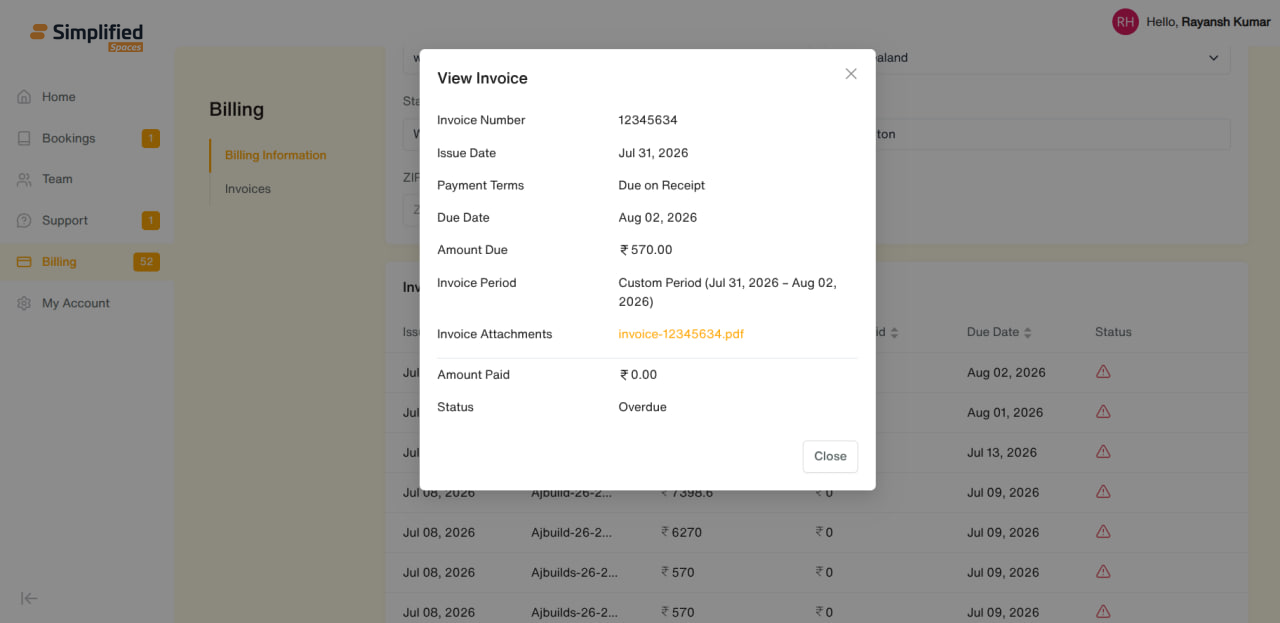
Click the eye/View icon on any row to open the full invoice details:
-
Invoice Number, Issue Date, Payment Terms, Due Date, Amount Due
-
Invoice Period (e.g. "This Month (Prorated)", with the exact date range)
-
Invoice Attachment — click to view/download the invoice file, if one was attached
-
Amount Paid, Status
-
This view is read-only — you can look up and download invoices here, but can't edit, dispute, or pay them from this screen.
General Notes
-
Only Admin-role members can see and manage Billing — this keeps sensitive payment info restricted to your organization's account owner(s).
-
Invoice amounts are shown in your organization's set currency.